App for iPhone and iPad · Productivity · 2026
QR Master
QR codes with your logo, forever
Creates custom QR codes, with your logo, colors and a frame inviting people to scan, and checks that they scan before you print them. The codes are static: with no service in between, they never expire.
Coming soon to the App Store
Many QR code generators route the link through their own servers: if the subscription runs out or the service shuts down, every printed code stops working. In QR Master the content goes inside the code, exactly as you wrote it, and works forever.
You choose what goes into the code (a link, a Wi-Fi network, a contact, a Google review, a SEPA bank transfer and more) and design it: module and eye shapes, colors or gradients, a logo in the middle, a frame with a call to action such as "Scan for the menu".
While you customize, the app reads the code back the way a customer's camera would and warns you if a color or a logo makes it unreadable. Then it exports it for print, at a size in millimeters, including vector PDF and SVG. No account and no network.
What it does
- 13 content types, from a link to a SEPA transfer
- Logo, shapes, colors and a frame with a call to action
- Readability check while you customize
- Export as PNG, JPEG, TIFF, PDF and SVG
- Library of saved codes
- Works offline, no account
Screenshots
-
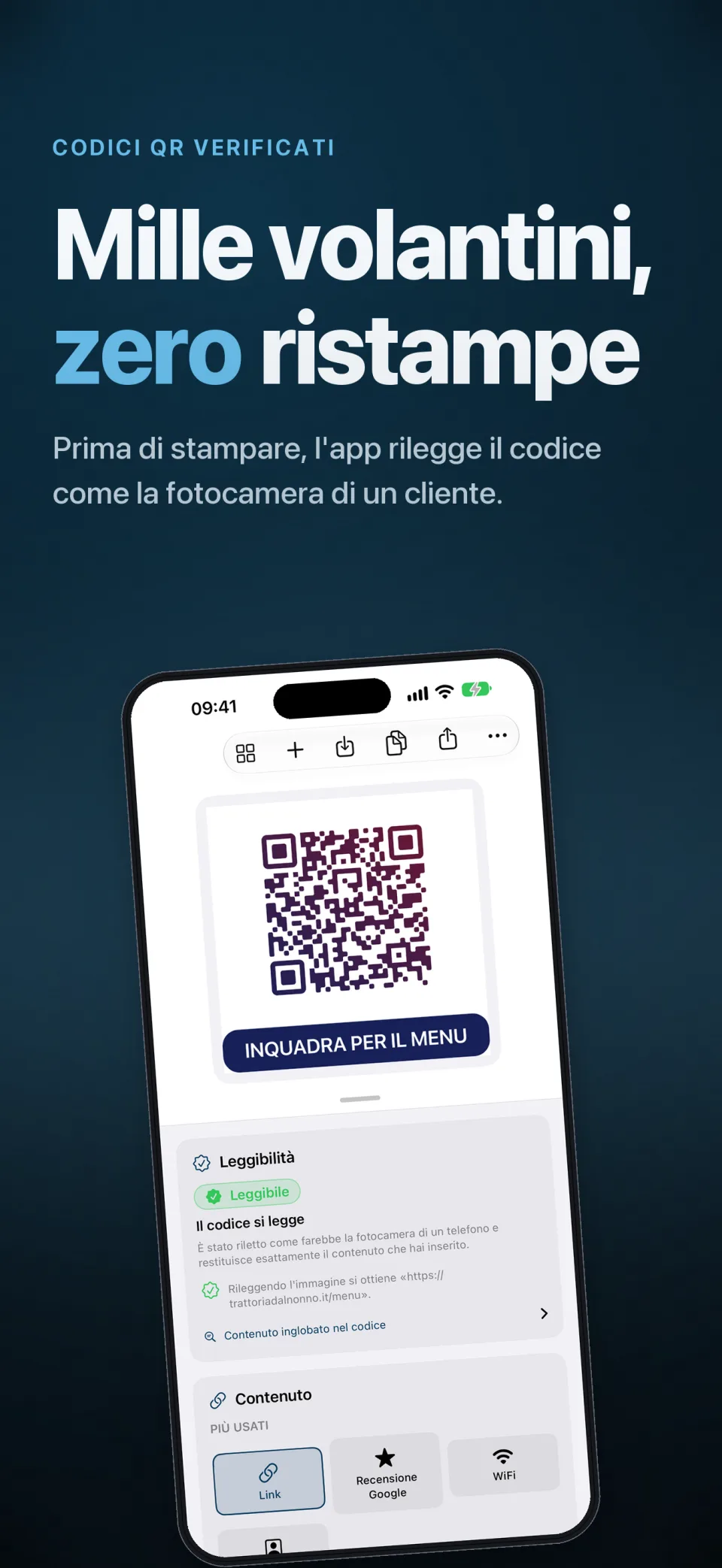 Open full size in a new tab: QR Master: QR codes checked before printing
QR Master: QR codes checked before printing -
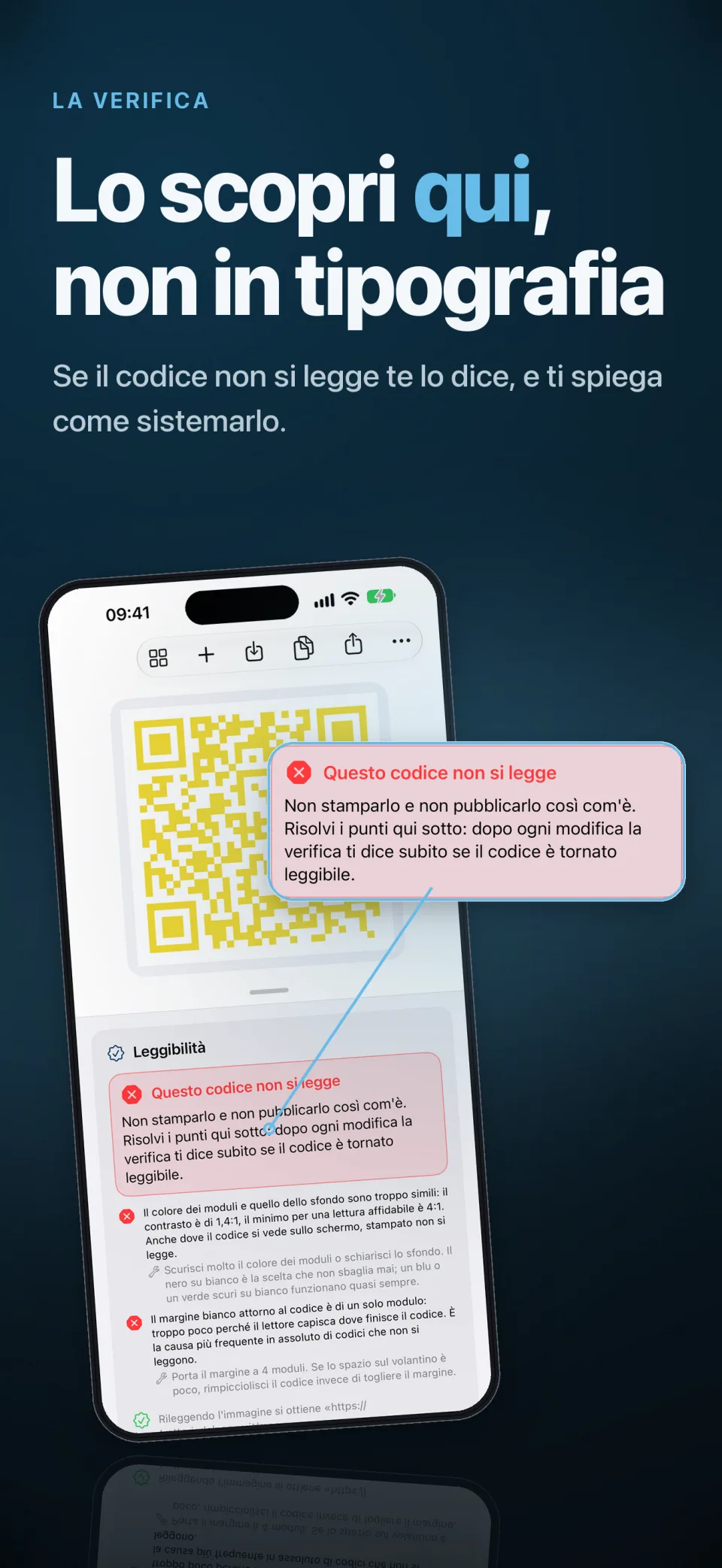 Open full size in a new tab: The check warns when a code does not scan and explains how to fix it
The check warns when a code does not scan and explains how to fix it -
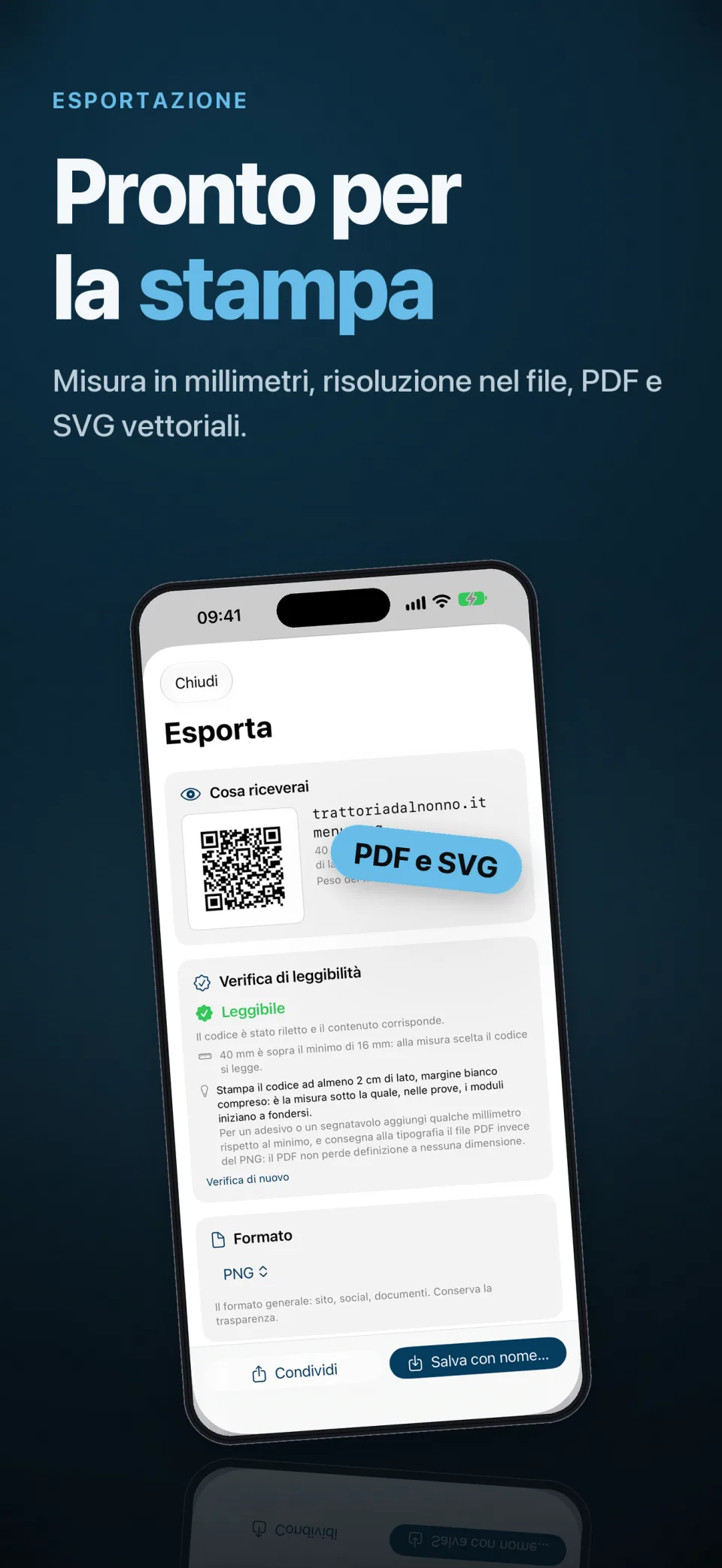 Open full size in a new tab: Export for print at a size in millimeters, as PDF and SVG
Export for print at a size in millimeters, as PDF and SVG